无限易下载与登录
无限易下载
无限易安装
安装要求
无限易支持 Windows 7 及以上版本操作系统。
如果您使⽤的是 Windows Server 2008 R2 Service Pack 1 的版本,可能需要⼿动安装 VC 2008 的运⾏库 ,下载微软常用运行库合集 。
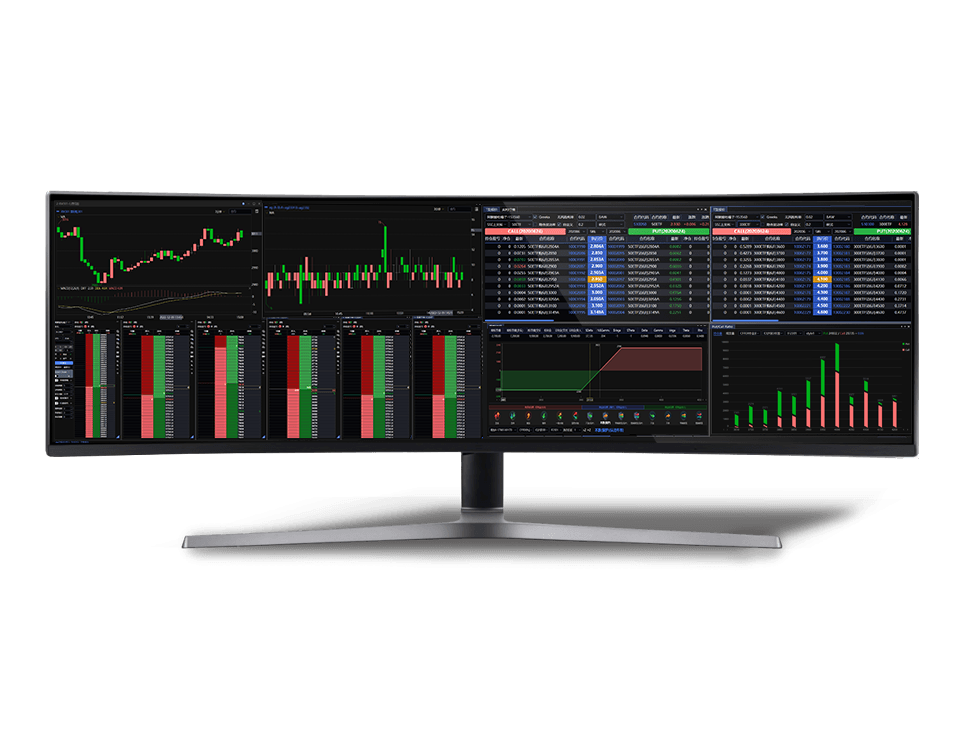
建议屏幕分辨率在 1920*1080 及以上设备上使用。
安装对电脑配置及内存没有高要求,普通配置即可满足使用。
如果批量运行的量化策略比较耗内存、委托信息量达百万水平等情况,电脑配置越高越好。
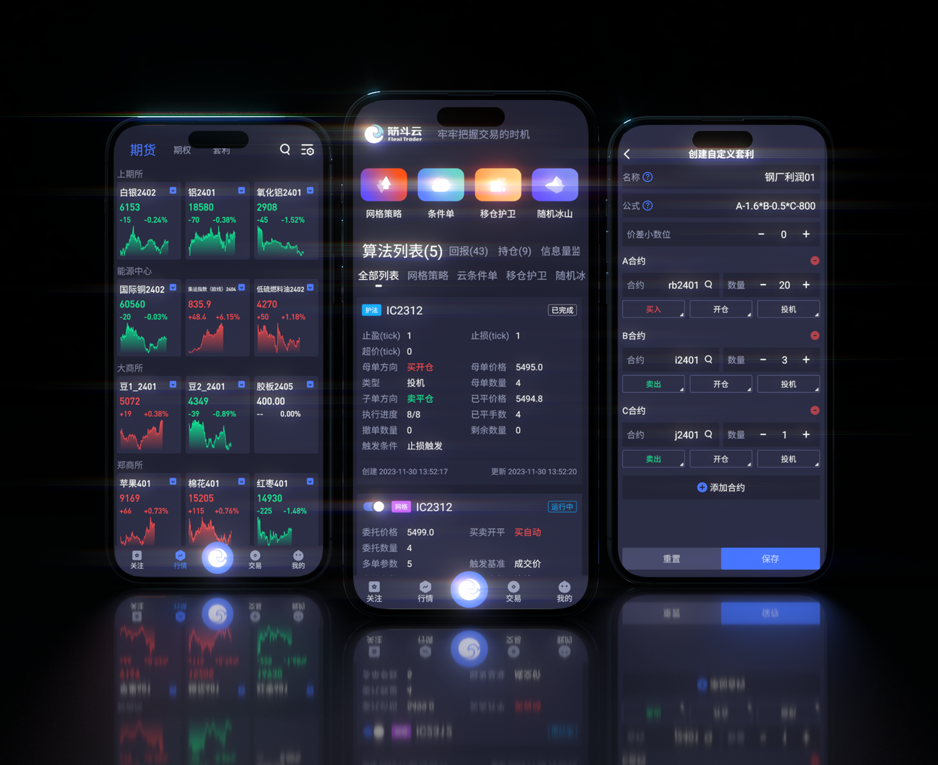
无限易没有手机和 Mac 版本,推荐使用 量投筋斗云 实现移动端、Mac 端的交易。
无限易升级
无限易通过推送后,统一线上升级,打开无限易时会有升级提示。
线上升级无需更换安装包,同意升级后自动进行。
第一次安装会自动升级为当前版本。
升级内容及版本号详见 版本更新日志
无限易登录
无限易支持单账号、多账号同时登录(需使用支持多账号的版本),多账号详见: 多账号设置与登录方法
无限易本身不检查和限制账号的多点登录个数,但是上层经纪商柜台可能会有限制,详情请咨询经纪商。
经纪商版本 / 无限易通用版
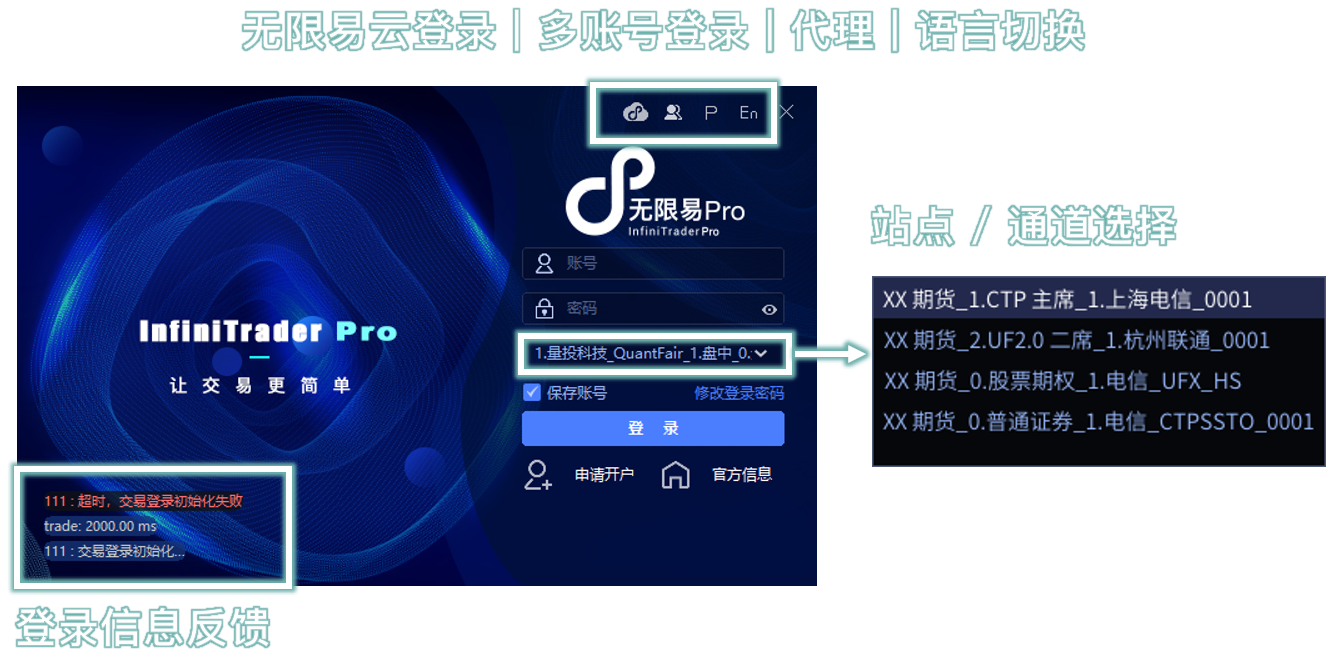
无限易直连经纪商柜台,直接用经纪商开户的 资金账号 登录即可。
柜台有交易员模式,可用交易员账号(User ID)登录。
当天交易日收盘后,上层经纪商柜台关闭,则无限易无法登录,已经登录的无限易也会 自动退出。
每家经纪商柜台关闭时间略有不同,一般在 16:30 左右。
支持手动保存未成交单,详见 任务下单 说明。
无限易每个交易日需要重新登录,上层柜台开启即可登录。
每家经纪商柜台开启时间略有不同,一般在 20:15 左右。
由于无限易行情依赖于查询上层柜台,对于 广期所无夜盘的套利合约、早上才挂牌的合约,夜盘登录时柜台没有返回合约,所以早上开盘需要重启无限易来获取。
登录密码:经纪商提供的资金账号密码,右下方点击 修改登录密码,可输入原密码进行修改。
若忘记密码,请咨询经纪商,无限易无账号管理权限。
站点 / 通道 选择
每一个站点后面可能配置有若干个 交易和行情 ip 地址,无限易登录会自动 ping 最快的 ip 登录,无需手动测速选择。
无限易交易、行情 ip 皆由上层经纪商柜台提供,经纪商的站点行情取自经纪商、交易直连经纪商柜台。
有无五档行情、登录能看到和交易的品种,也跟上层经纪商柜台有关。
实盘期货站点 命名规则为:
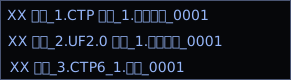
经纪商_柜台类型与席位_网络类型_经纪商编号
实盘股票期权站点 命名规则为:

经纪商_市场属性与席位_网络类型_柜台类型_经纪商编号
CTP、CTPmini、CTPSSTO、CTPIPV6 都是指 CTP 柜台。
UF2.0、UFX、UFXStockOpt、UFXStock 都是指恒生柜台。
另有 QDP、易盛、JSD(金仕达)等柜台,每家经纪商有所不同。
站点名称没有特别标注股票期权、普通证券的,一般都属于期货站点。
选择站点需要手动确认部分 :
选择账号开户时 对应的席位 登录。
认准主、次席 或 席位序号 命名,席位选择不正确,可能登录失败或登进后 开仓受限 。
尽量选择对应 网络类型 登录。
根据自身的网络运营商,对应选择电信、联通、移动等站点,没有对应的可忽略。
选择合理的 地理位置 登录。
假如所属地理位置离上海近,可选择上海的站点,没有标注地理位置的可忽略。
登录信息反馈
登录过程中,登录页左下角有『登录信息反馈』。
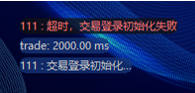
登录失败,返回的报错以 红色字体 展示。
该报错一般由上层经纪商柜台返回,柜台报错与无限易无关。
trade:25 ms 和 market:6 ms,分别表示 登录这一刻 连接交易和行情 ip 的速度,数字越小说明速度更快。
若出现 2000 ms,意味没有连通该通道,可能不在该站点的可登录时间或自身无网络、网络有防火墙。
结算单确认
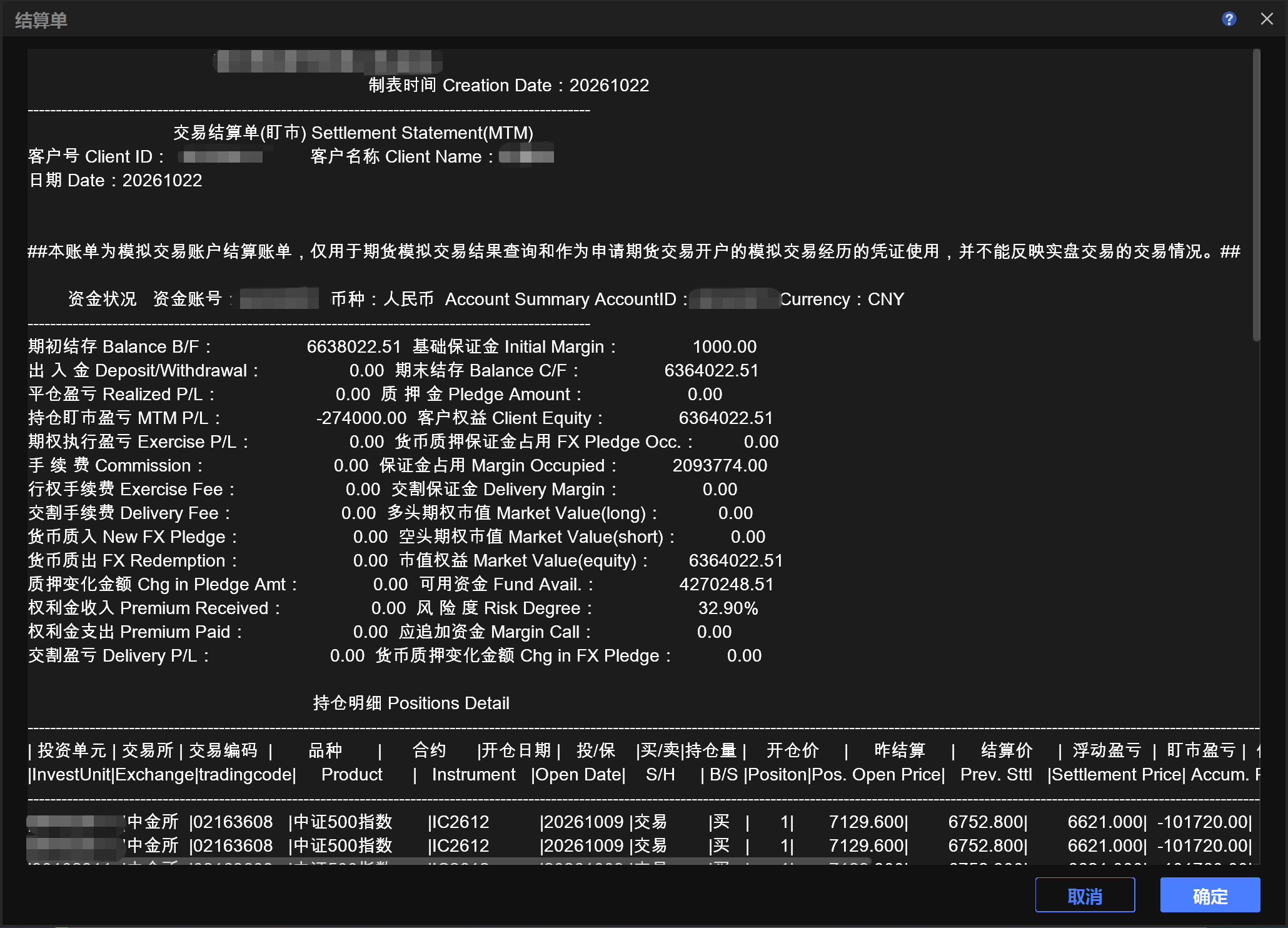
在正式环境中,每个交易日首次登录时若没有在其他软件进行过确认,那么会弹出结算单确认窗口。确认结算单后方可交易。
如需自动确认结算单,请打开 系统 → 交易设置 → 常规设置,勾选 自动确认结算单。启用后,每日登录时系统将自动确认结算单,不再弹出确认窗口。
资管版本
单独采买的无限易机构版本,支持对接资管、风控等系统,以子账号的形式登录交易。
支持系统:量投 GTS、恒生 O32、恒生 FVIP、恒生 oPlus、易盛机构通、迅投 GT、融航 AMS。
模拟版本
登录时应 选择注册的模拟平台登录,站点选错登录会失败。
各个模拟平台的 模拟账号不通用,初始账号和密码规则不同,需分别注册。
| 模拟平台及注册 | 支持品种 | 盘中站点 | 盘后站点 | 模拟客户端 |
|---|---|---|---|---|
| 量投科技 QuantFair 注册期货模拟 |
国内期货六所的单品种期货、期权(原油除外) | 量投科技-QuantFair-盘中-XXX 实时实盘行情 每天 19:00 维护 约 90 分钟无法登录 |
量投科技-QuantFair-历史回放-XXX 复盘行情 每天 11:00 维护 约 60 分钟无法登录 |
无限易官网 期货模拟 |
| 量投科技 QuantFair 注册证券模拟 |
沪深股票、基金、债券、ETF 期权 、国内期货六所的单品种期货、期权等 | 量投科技-QuantFair-全市场-XXX 实时实盘行情 |
量投科技-QuantFair-全市场-历史回放-XXX 复盘行情 |
无限易官网 证券 模拟 |
| 上期技术 SimNow 注册模拟 |
国内期货六所的单品种期货、国内期货四所期权(郑商所、大商所除外) | 上期技术-SimNow-XXX 实时实盘行情 |
上期技术-SimNow-盘后-XXX 复盘行情 收盘 16:00 以后可登录 |
无限易官网 期货模拟 |
| 易盛启明星 注册模拟 |
国内期货五所(广期所除外)的单品种期货、期权、标准套利合约 | 易盛-启明星模拟-XXX 实时实盘行情 |
无 | 无限易官网 期货模拟 |
| 经纪商仿真 向经纪商申请仿真账号 |
由交易所搭建的仿真环境,支持品种根据账号类型 | 名称为 全真、仿真、评测 的站点 非实盘行情,有真实对手来撮合,合约流动性小 |
无 | 经纪商官网 无限易仿真 |
复盘行情,不支持自定义播放时间,一般为上一个交易日行情重播。
交易时间可登录盘中站点,非交易时间可登录盘后站点。
每个站点有各自的维护时间 维护时间登录会失败。
QuantFair-历史回放 站点维护时,会重置账户信息为初始状态,包含持仓和资金。
QuantFair 注册时请尽量避开维护时间,否则该站点的模拟账户需在下一交易日才能生效。
其余模拟环境的维护时间、注册生效时间、账号规则详见 无限易模拟注册 说明。
InfiniTrader Download and Login
Download InfiniTrader
Download InfiniTrader for Live Trading
Download InfiniTrader for Simulated Trading
For other private versions, contact your company.
Install InfiniTrader
System Requirements
InfiniTrader supports Windows 7 and later.
If you use Windows Server 2008 R2 Service Pack 1, you may need to install the VC 2008 runtime manually. Download the Microsoft Visual C++ runtime package.
A screen resolution of 1920 × 1080 or higher is recommended.
InfiniTrader has no demanding hardware or memory requirements. A standard computer configuration is sufficient.
A higher-specification computer is recommended when running memory-intensive quantitative strategies in batches or processing millions of orders.
If GBK encoding is unavailable on an English-language Windows system, Chinese error messages returned by the broker may appear garbled. Follow the steps in the FAQ to resolve this issue.
Upgrade InfiniTrader
InfiniTrader is upgraded online. When an update is available, an upgrade prompt appears when you open the application.
You do not need to download a new installer. Accept the upgrade prompt to update automatically.
After the first installation, InfiniTrader automatically upgrades to the current version.
See the Changelog for version numbers and update details.
Log In to InfiniTrader
InfiniTrader supports both single-account and simultaneous multi-account login. A version that supports multiple accounts is required. See Multi-Account Settings and Login for details.
InfiniTrader does not check or limit the number of simultaneous logins for an account. The broker's trading system may impose its own restrictions. Contact your broker for details.
Broker Version / InfiniTrader Standard Version
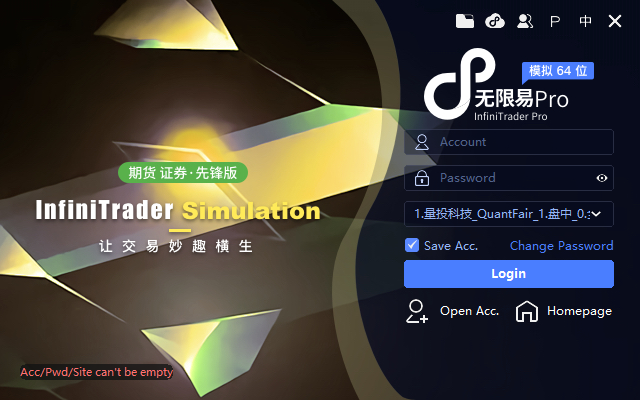
InfiniTrader connects directly to the broker's trading system. Log in with the Account ID opened with your broker.
If the trading system supports trader mode, you can log in with a trader account (User ID).
View the list of brokers that support InfiniTrader
InfiniTrader cannot log in after the broker's trading system closes for the trading day. Any active InfiniTrader session will also log out automatically.
Closing times vary by broker and are generally around 16:30.
You can save unfilled orders manually. See Task Order for details.
You must log in to InfiniTrader again on each trading day. Login becomes available after the broker's trading system opens.
Opening times vary by broker and are generally around 20:15.
InfiniTrader obtains market data by querying the broker's trading system. For GFEX spread contracts without night trading and contracts listed in the morning, the trading system does not return the contracts during a night-session login. Restart InfiniTrader before the morning session to retrieve them.
Login Password: Enter the Account ID password provided by your broker. To change it, click Change Password in the lower-right corner and enter your current password.
If you forget your password, contact your broker. InfiniTrader does not have permission to manage your account.
Select a Site / Channel
Each site may contain multiple trading and market-data IP addresses. When you log in, InfiniTrader automatically selects the fastest IP, so no manual speed test is required.
All trading and market-data IP addresses are provided by the broker's trading system. Market data available through a broker's site is supplied by the broker or obtained through a direct exchange connection.
The availability of five-level market data and the products you can view or trade also depends on the broker's trading system.
Login Status
Login status appears in the lower-left corner of the login page while you are logging in.
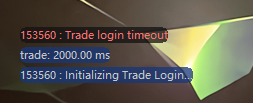
Login errors appear in red.
These errors are generally returned by the broker's trading system and are not generated by InfiniTrader.
trade: 25 msandmarket: 6 msshow the connection latency to the trading and market-data IP addresses at the time of login. Lower values indicate faster connections.A value of
2000 msmeans the channel could not be reached. The site may be outside its login hours, your network may be unavailable, or a firewall may be blocking the connection.
Settlement Statement Confirmation
In the live environment, a settlement statement confirmation window appears when you log in for the first time each trading day, unless the statement has already been confirmed in another trading application. You can trade only after confirming the statement.
To confirm settlement statements automatically, go to Systems → Settings → General, then select Auto Confirm Settlement. Once enabled, InfiniTrader automatically confirms the settlement statement each day when you log in, and the confirmation window no longer appears.
Asset Management Version
The separately licensed institutional version of InfiniTrader connects to asset management and risk control systems and supports trading through subaccounts.
Supported systems include Quantdo GTS, O32, FVIP,oPlus, Esunny Institutional Connect, GT, and AMS.